Deploy Spring Boot applications onto AWS ECS Fargate using AWS CDK. > Preparation Steps > Creating a Spring Boot Project
Creating a Spring Boot Project
Creating a Spring Boot Project
-
Visit start.spring.io.
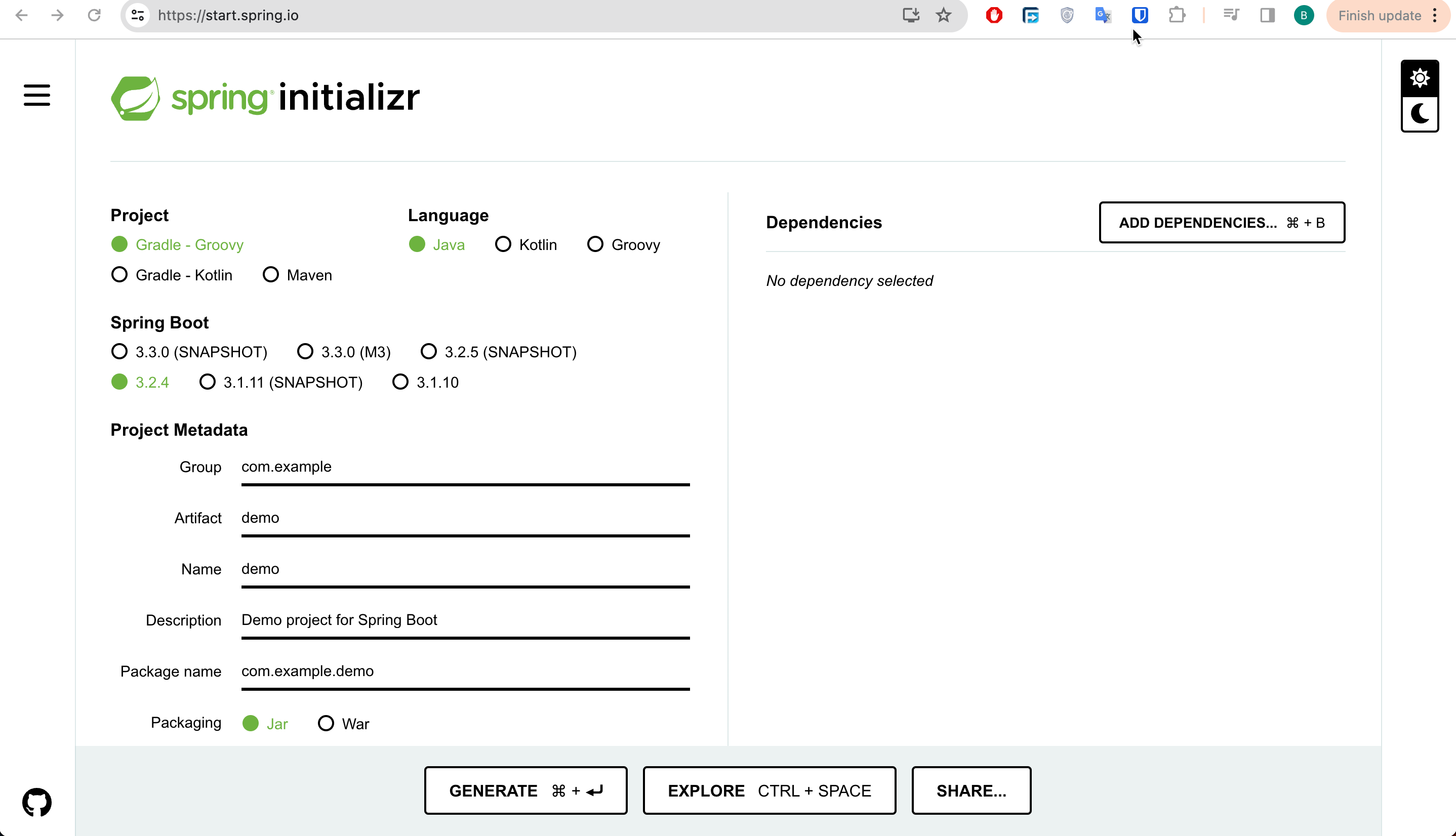
-
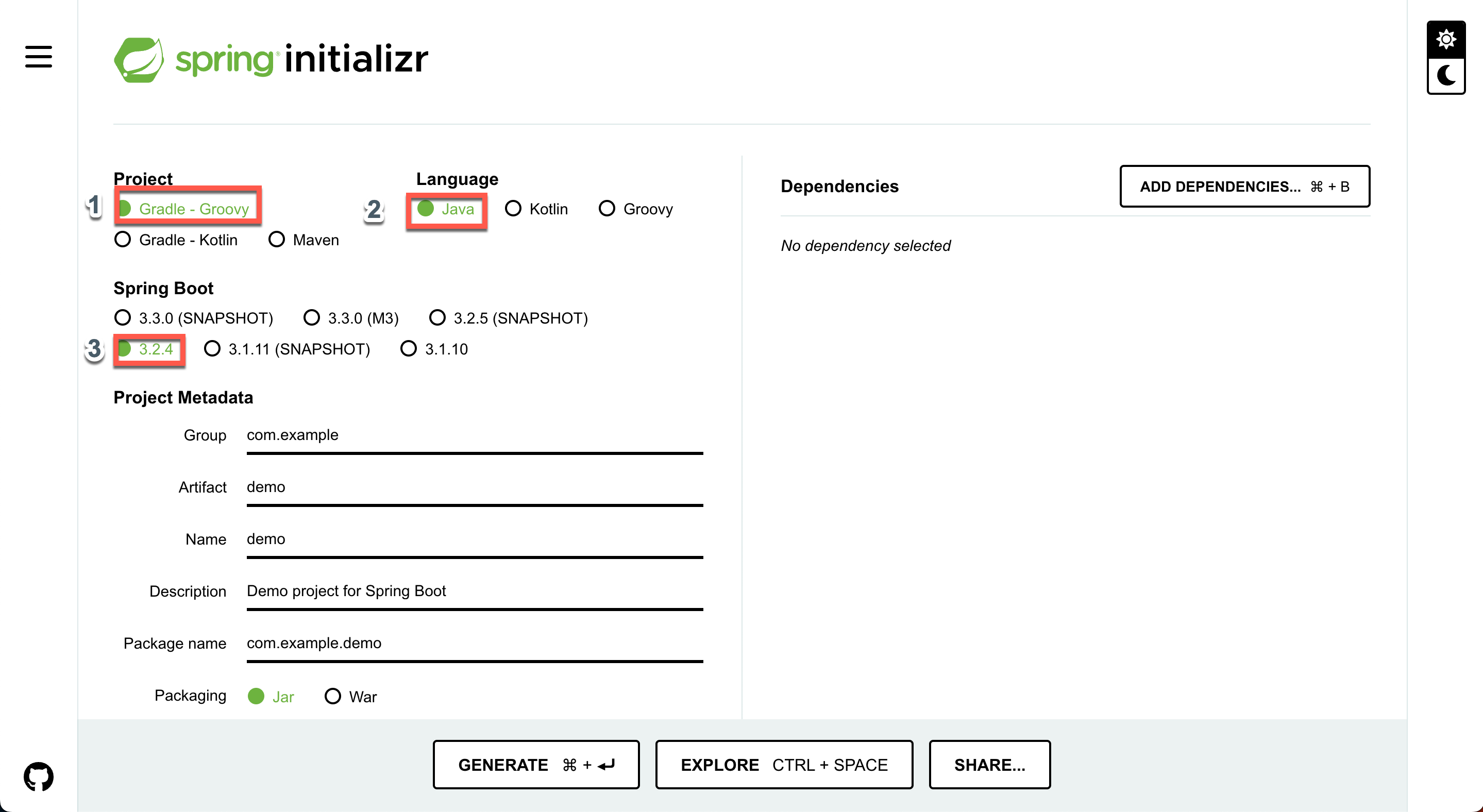
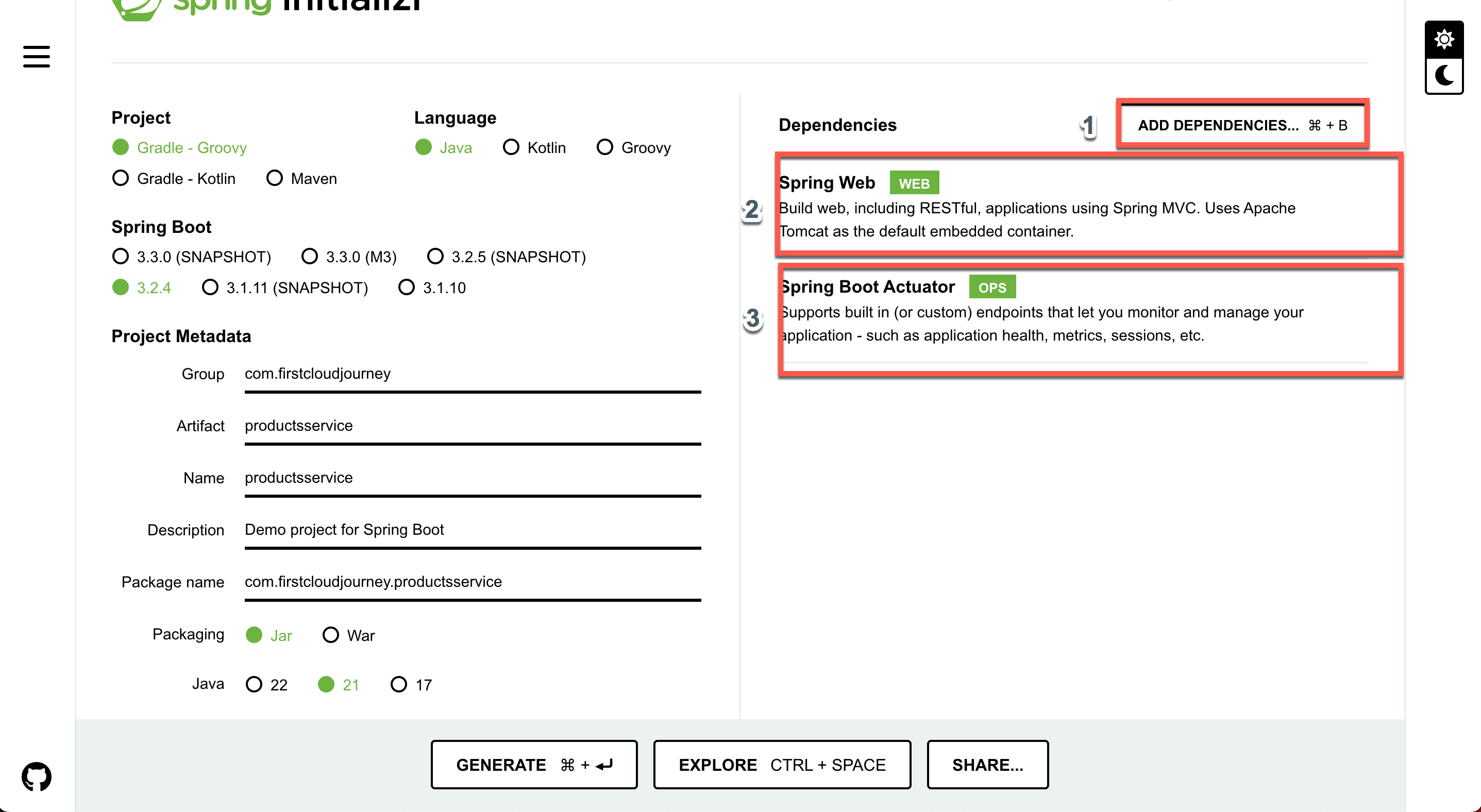
Choose the programming language and framework version:
- For Project, select Gradle - Groovy.
- For Language, choose Java.
- For Spring Boot version, select 3.2.4.
-
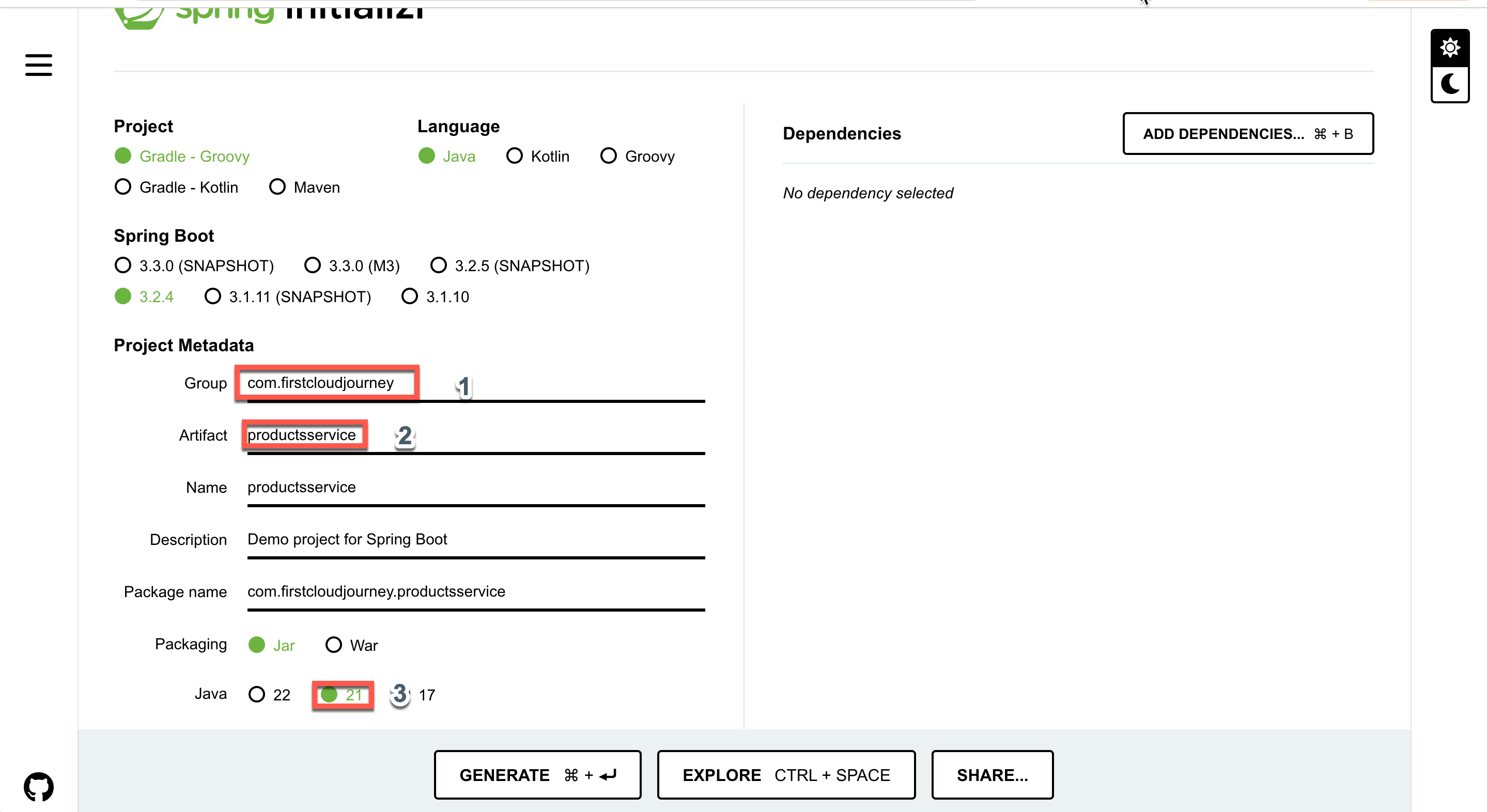
Configure Project Metadata:
- Set Group to
com.firstcloudjourney. - Set Artifact to
productsservice. - Other fields will be automatically filled.
- Choose Java version as 21.
- Set Group to
-
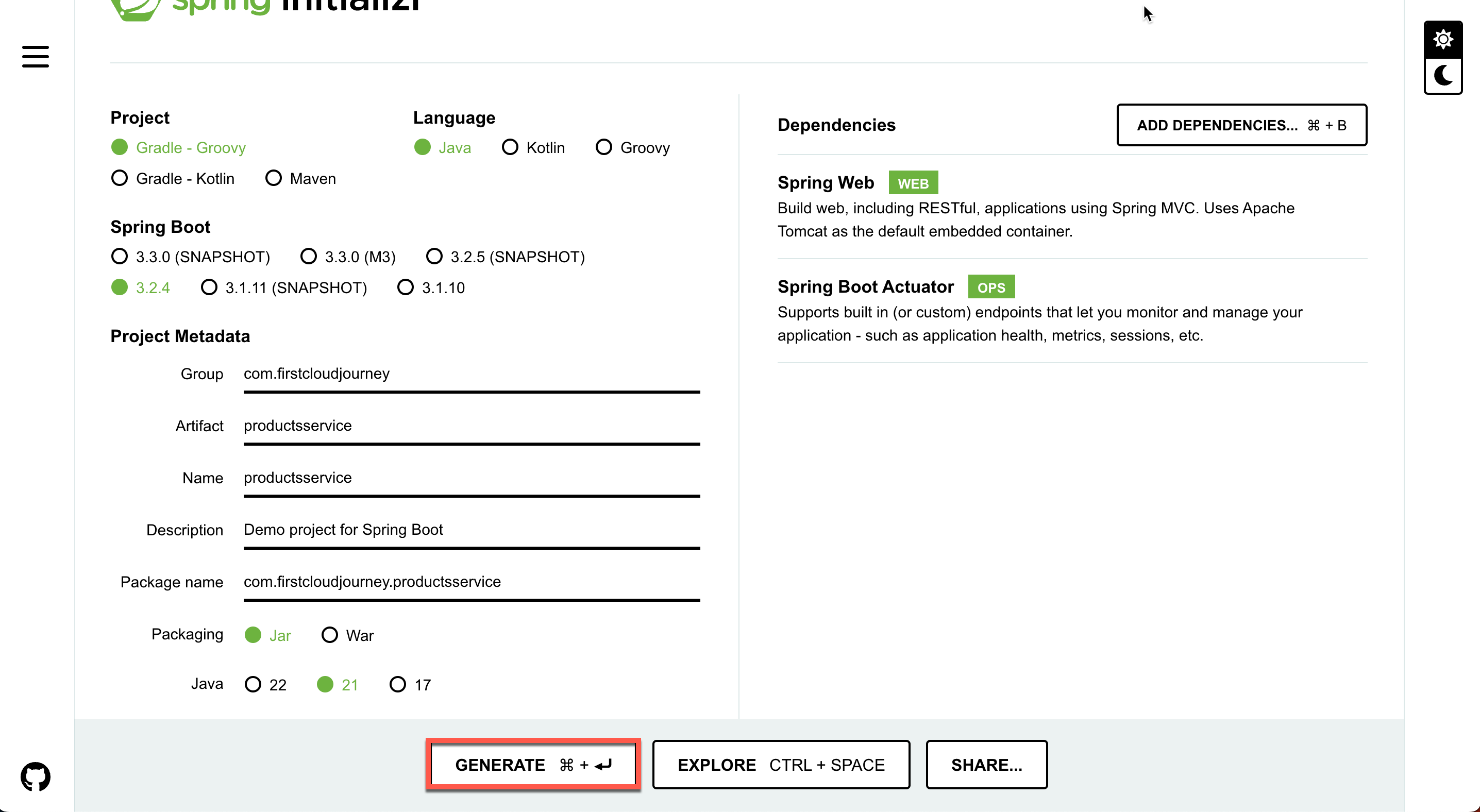
Add Dependencies:
- Click ADD DEPENDENCIES to open a pop-up.
- Add Spring Web and Spring Boot Actuator packages.
-
Generate the Spring Boot Project:
- Click GENERATE to download the created project.