Deploy Spring Boot applications onto AWS ECS Fargate using AWS CDK. > Preparation Steps > Run Docker Image on Local Machine
Run Docker Image on Local Machine
Run Docker Image on Local Machine
- Right-click on the productsservice:1.0.0 image we created earlier and select Create Container.
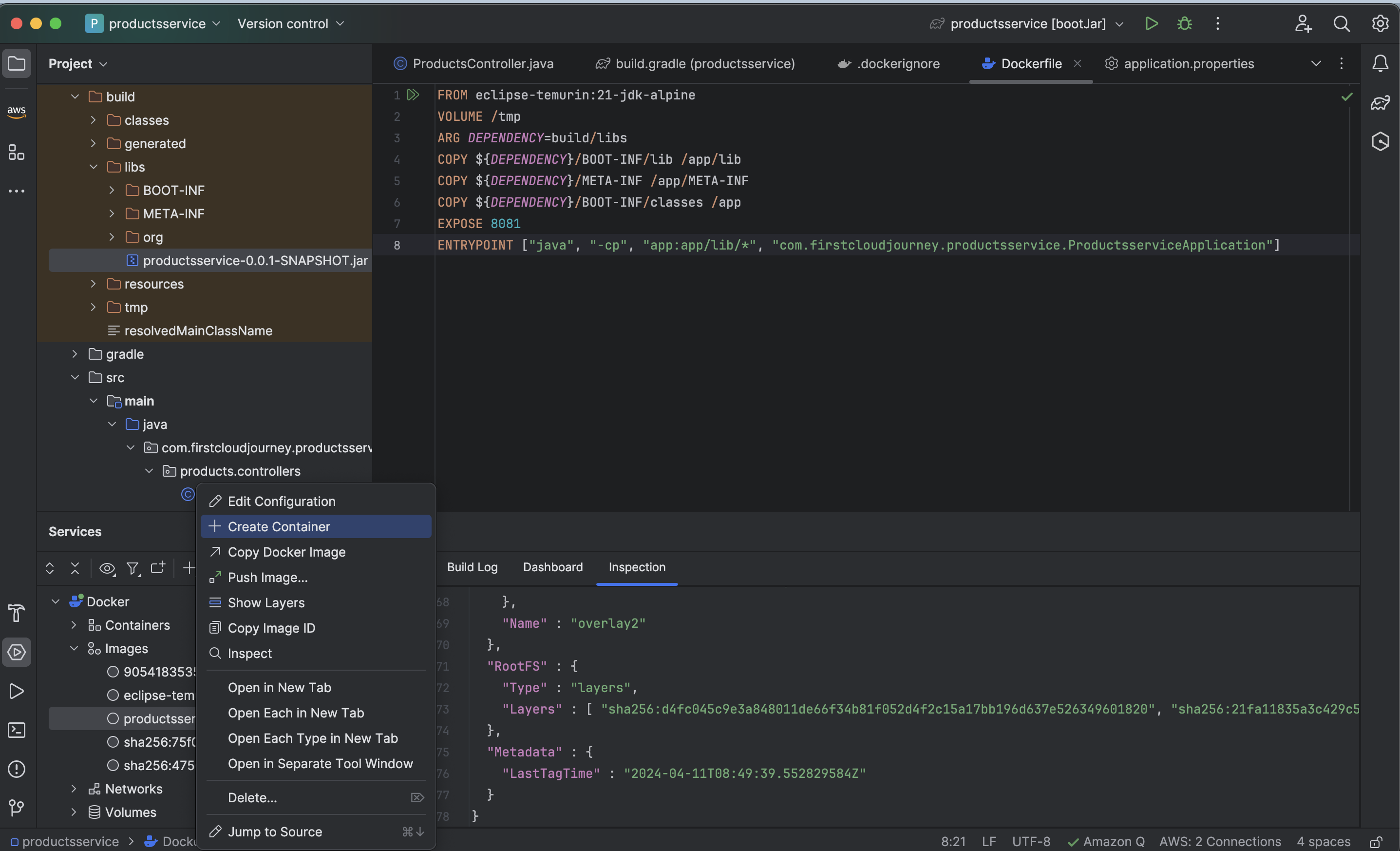
- A Docker image configuration popup will appear. Choose Run and the terminal will execute.
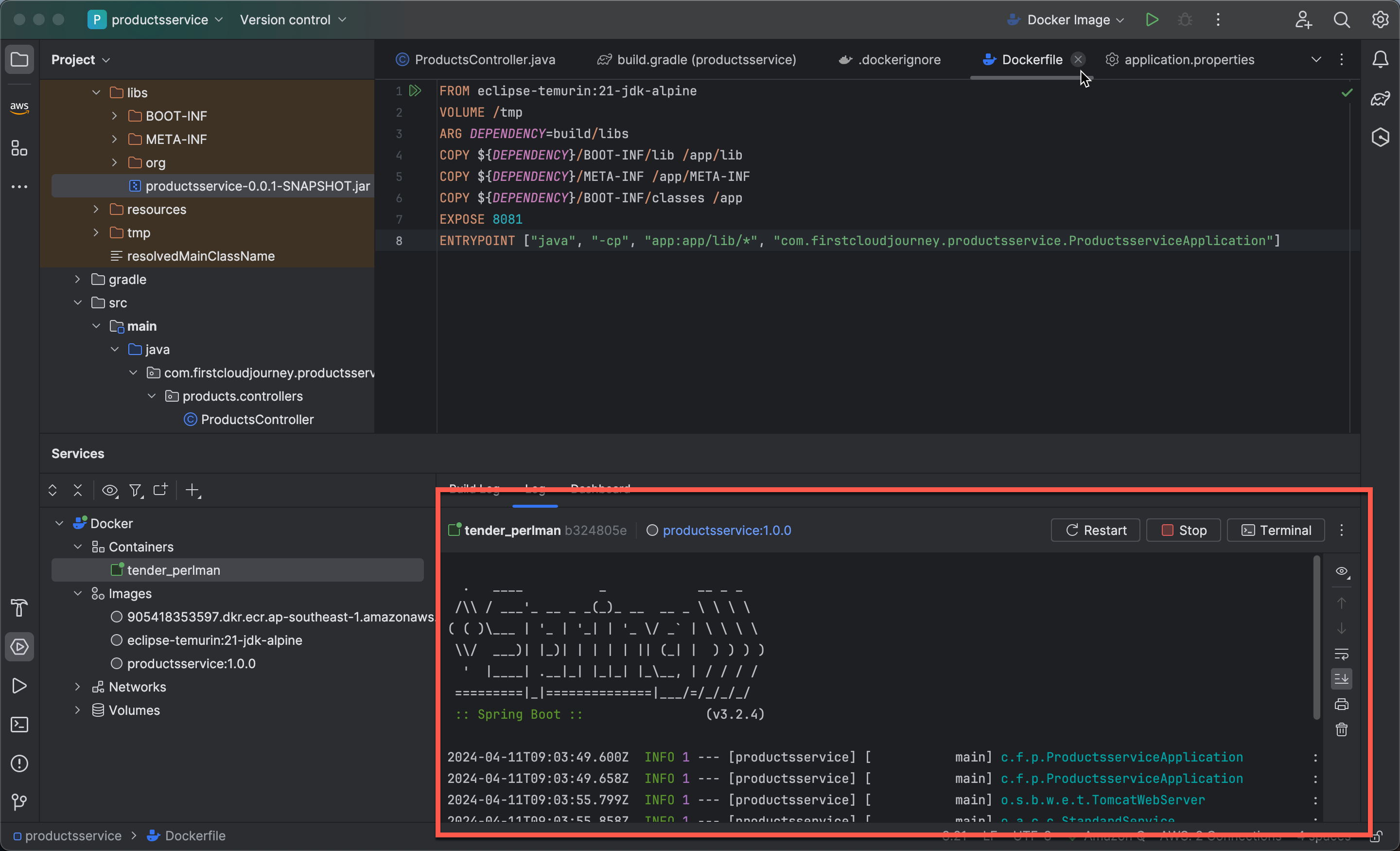
-
Configure the Docker container:
- In the Services interface, select the Dashboard tab and then click Add under Ports.
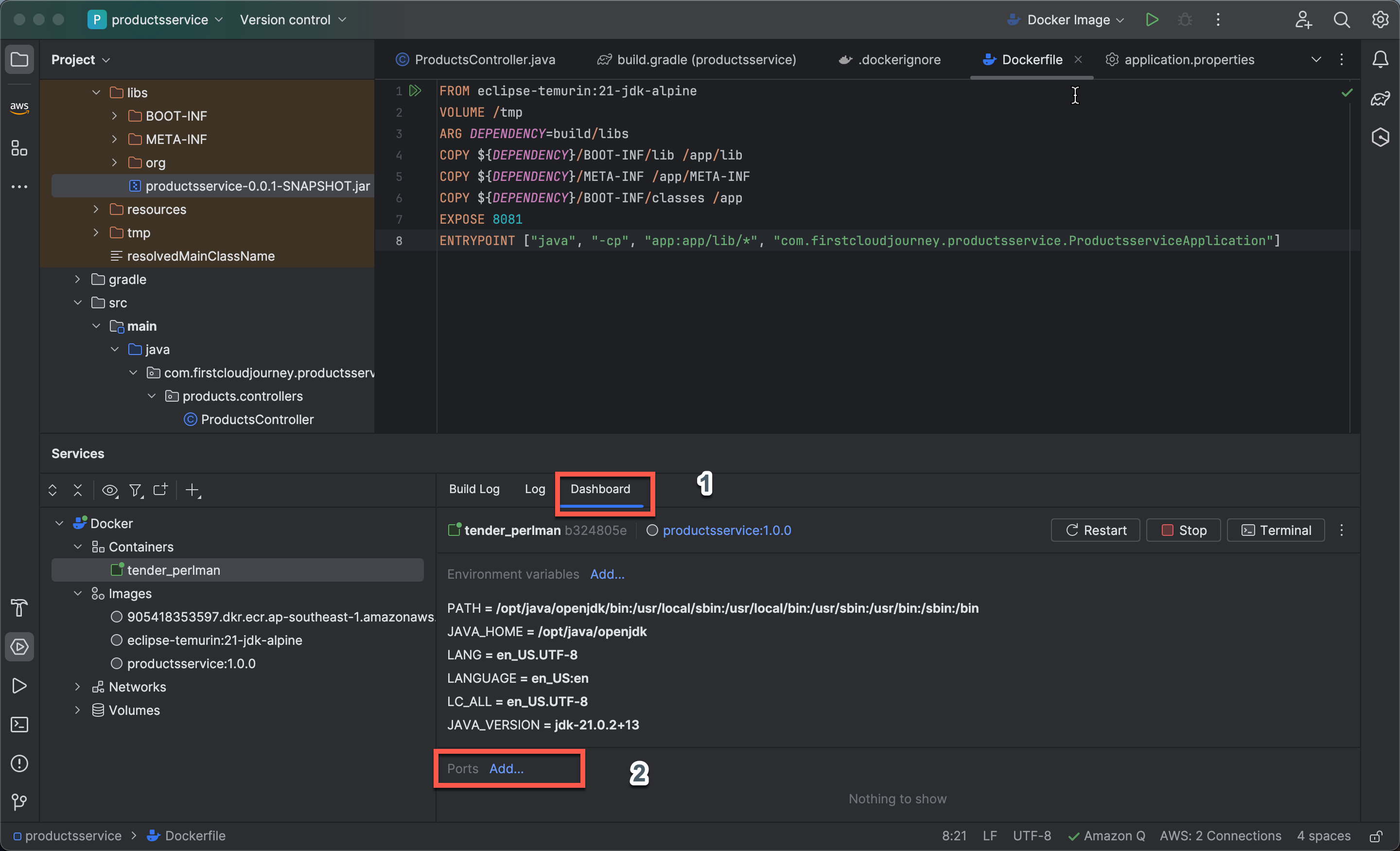
- A Port bindings popup will appear. Click Modify Options, then select Host IP.
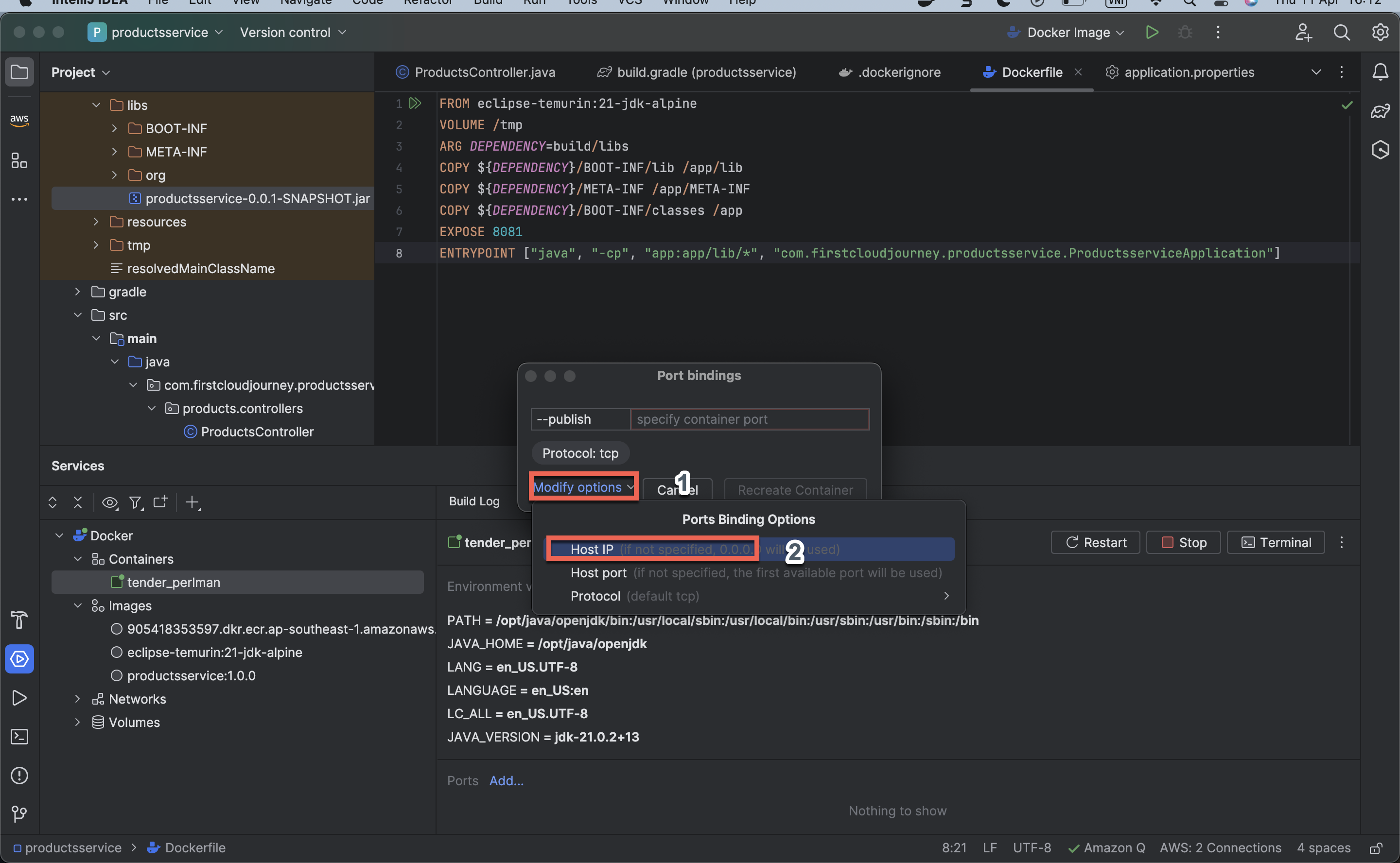
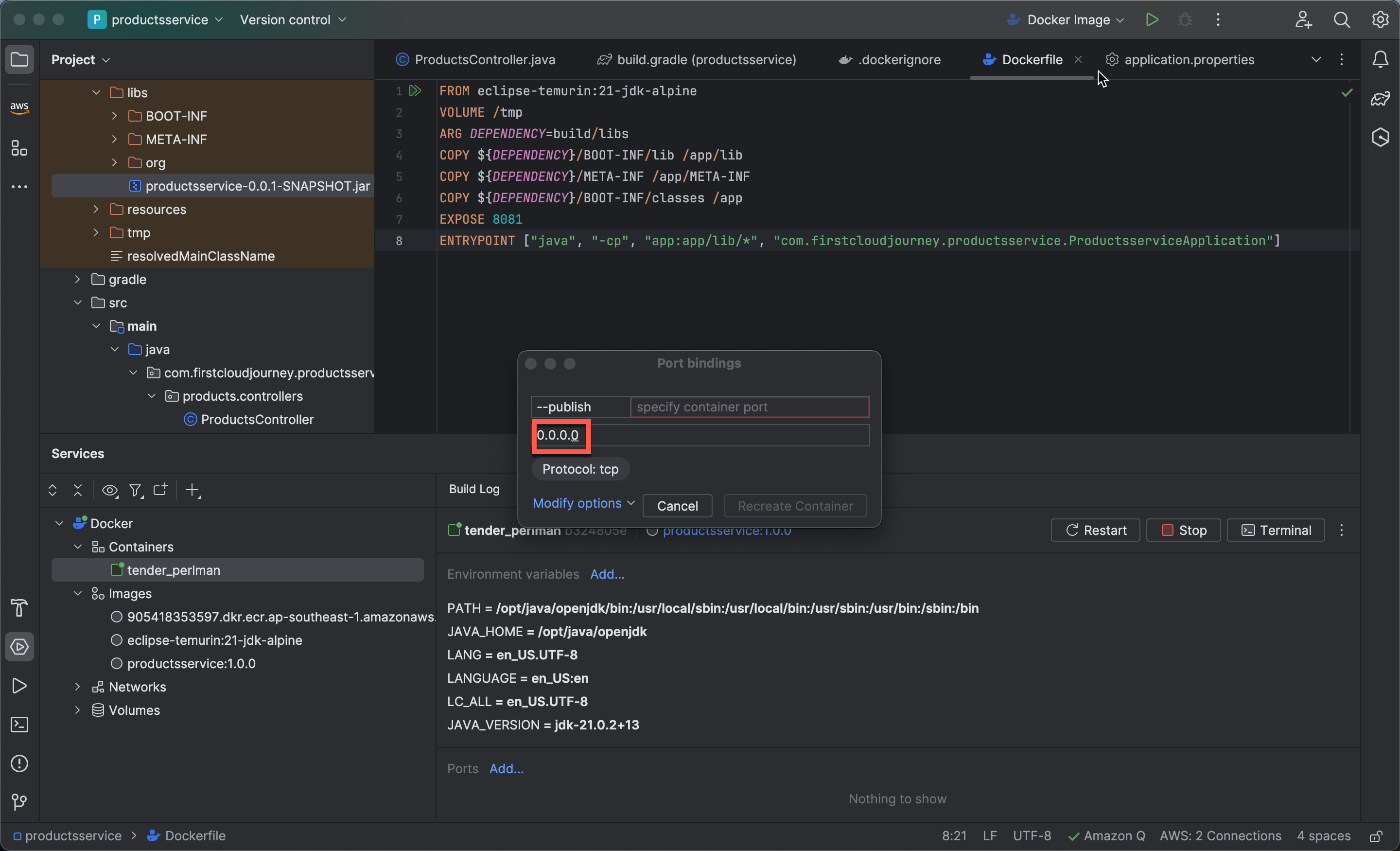
- Enter
0.0.0.0for the Host IP.
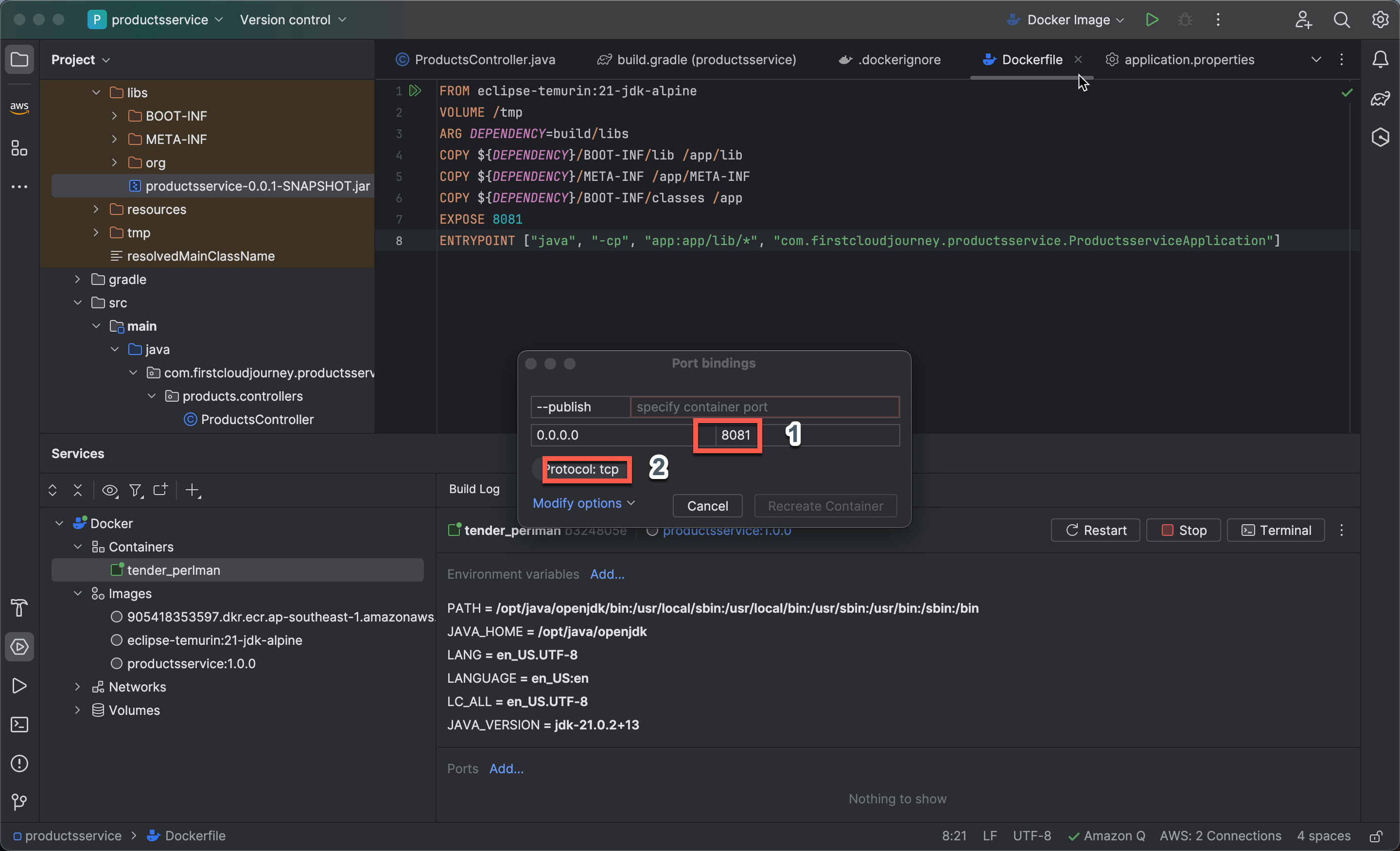
- Similarly, configure Host Port as
8081and Protocol as TCP.
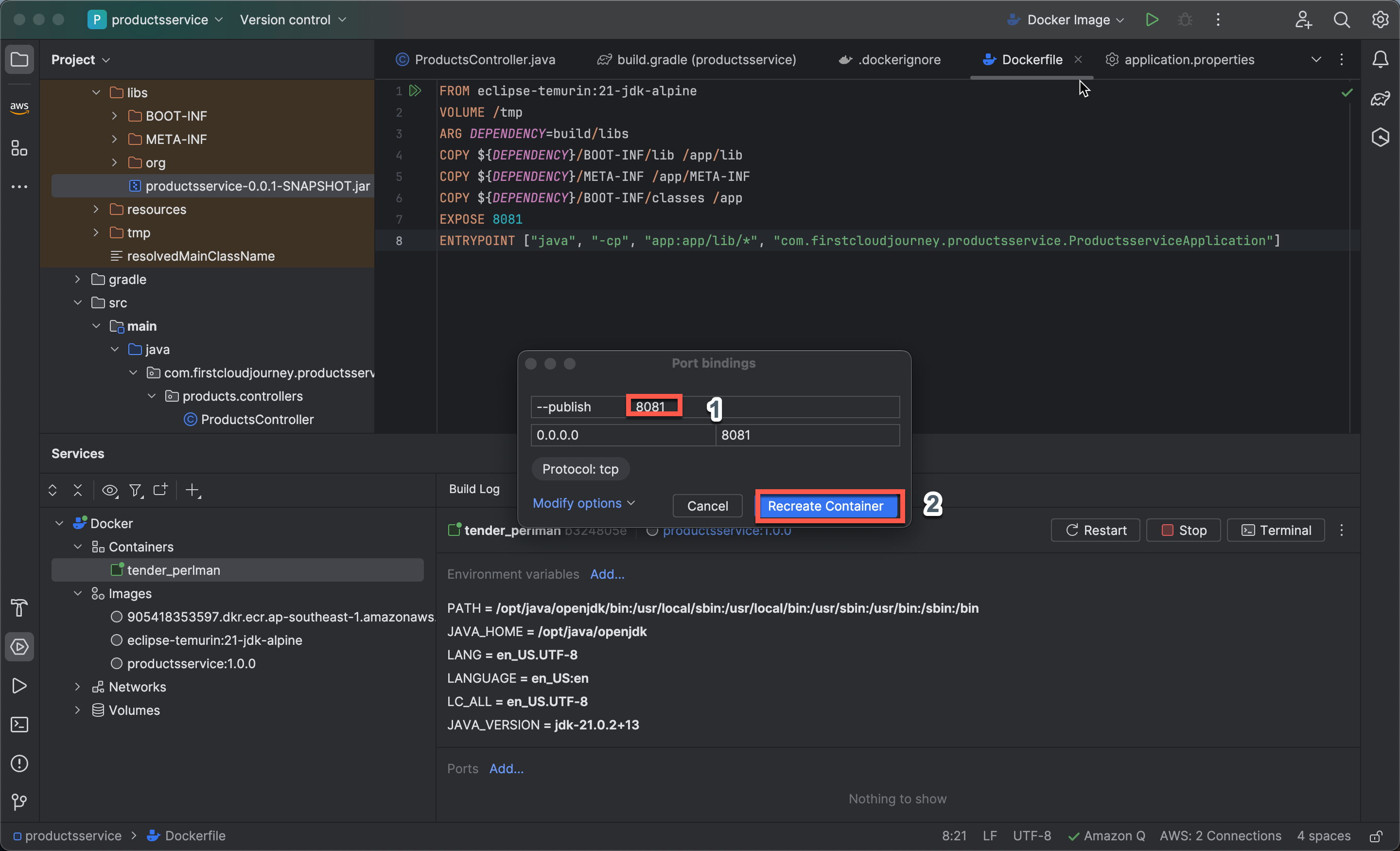
- For –publish, enter
8081and select Recreate container.
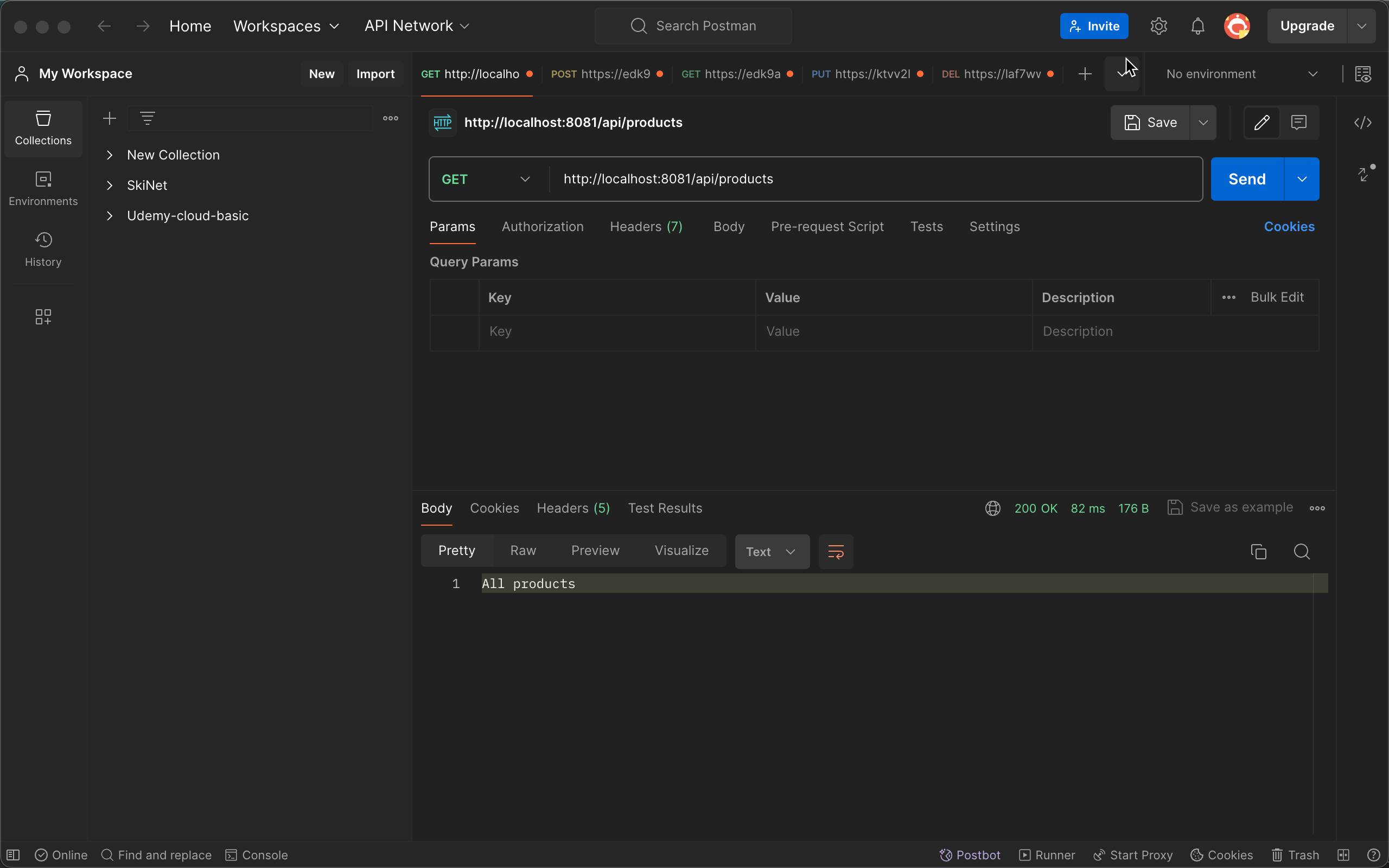
Test Application on Postman
- Run the project and test on Postman by creating an HTTP GET request with the URL
http://localhost:8081/api/products.